Your Mentoring Relationships (as a Mentee)
How to view your mentor matches and make the most of each relationship. A MentorStack help center guide for mentees.
Your mentoring relationship is the most valuable part of the program. It's where real growth happens. The Matches page shows your current and past mentoring pairings, and understanding your mentor's background and expertise helps you ask better questions and get more targeted guidance.
Viewing Your Matches
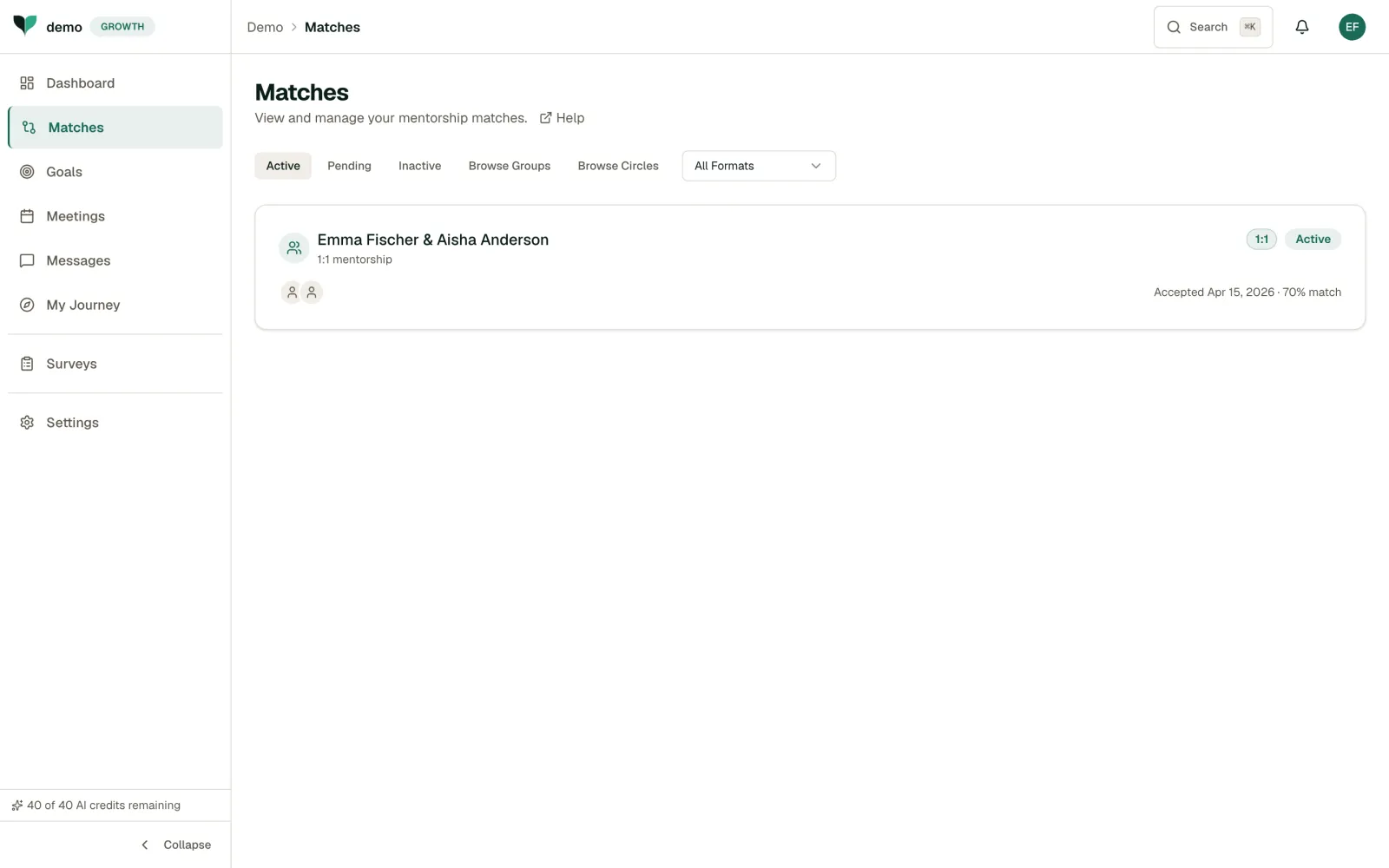
Use the Active, Pending, and Inactive tabs to filter by status. If your program offers group or circle mentoring, you also see Browse Groups and Browse Circles tabs. Filter by format with the All Formats dropdown.
Each match row shows:
- Participant names: The mentorship pair
- Format: e.g. 1:1 mentorship, as a badge
- Match status: As a badge
- Accepted date: When the match was confirmed (or the start date if there is none)
- Match score: The compatibility percentage, shown on the Active tab
Choosing or Accepting a Mentor
How matches start depends on how your admin set up the program:
- Admin-guided: your admin creates the pairing for you. Your mentor accepts it, so there is nothing to accept on your side. You get a notification and an email telling you that you have been matched and that your mentor will respond (prepared for release, not yet verified in production).
- Self-Select: you choose. If your admin has enabled mentor discovery, click Find Mentors on the Matches page or open Mentors in the sidebar. Browse and filter the available mentors, then click Request Mentorship on the one you want. A mentor who is at capacity shows At capacity and cannot be requested.
- Platform suggestions: when your admin has them switched on, MentorStack recommends mentors matched to your goals, skills, and schedule. They appear under Recommended for you on the Mentors page. In a Self-Select program, your dashboard can also show a suggested mentor with a Request Match button while you have no match.
Either way, a new match starts as Pending until the person who did not start it responds. When you choose a mentor, or your admin creates the pairing, your mentor accepts or declines it. Follow its status on the Pending tab. Once your mentor accepts, the match becomes Active and you can start scheduling and messaging. The one case where you accept is a reverse-mentoring offer that a more junior colleague sends you.
Getting the Most from Your Mentor
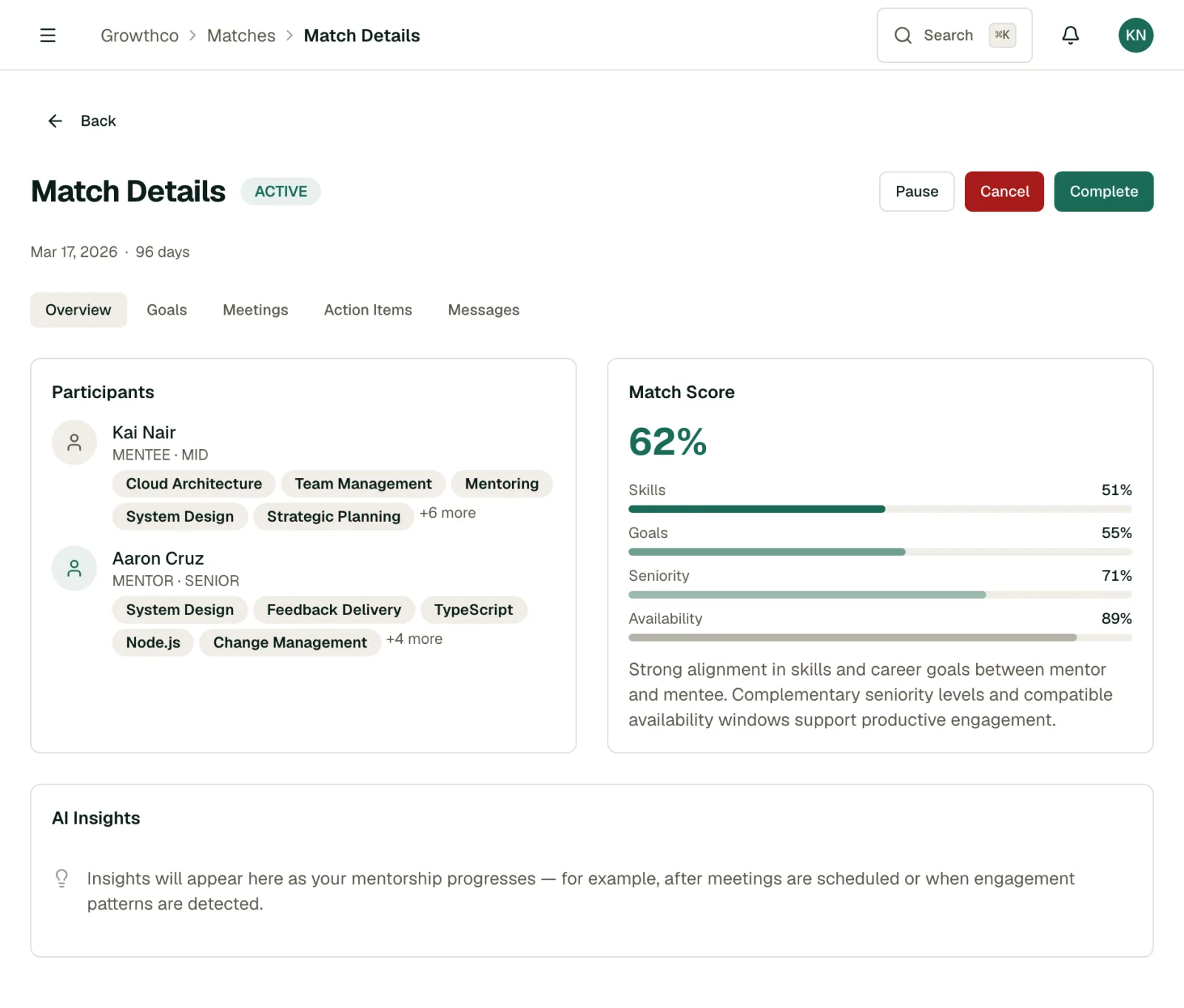
Click on a match to see the full relationship view, including:
- Meeting history and upcoming sessions
- Your conversation thread
- Your goals and how your mentor can help
Tip
Come to each meeting with a specific question or topic. Mentors appreciate when you drive the agenda. It shows initiative and makes sessions more productive.
Communication Tips
- Be proactive: Don't wait for your mentor to reach out
- Be honest: Share challenges, not just wins
- Follow through: If your mentor suggests something, try it and report back
- Show gratitude: A simple thank-you goes a long way
Offering to Reverse Mentor
If your program has reverse mentoring enabled, you'll see an Offer Reverse Mentoring button on the Matches page. Use it to propose yourself as a reverse mentor to a more senior colleague, on a skill or perspective you're well placed to share. Search for the colleague, add an optional note explaining why, and send the offer. They'll receive it as a pending match and can accept or decline it, the same as any other match.
If You Need Help
If you feel your match could be better, reach out to your program admin. They can help find a mentor who better aligns with your goals.