Managing Skills
Create, organize, and maintain your organization's skill library for better matching and goal-setting
MentorStack uses a shared skill library that members select when building their profiles. Members tag skills they can offer as a mentor (strengths) and skills they want to develop (growth areas). These tags power the matching algorithm and goal suggestions.
MentorStack includes a global skill library to start. You can extend it with skills specific to your organization, industry, or program.
Note
Organization-specific skills are available on Starter and above.
Viewing the skill library
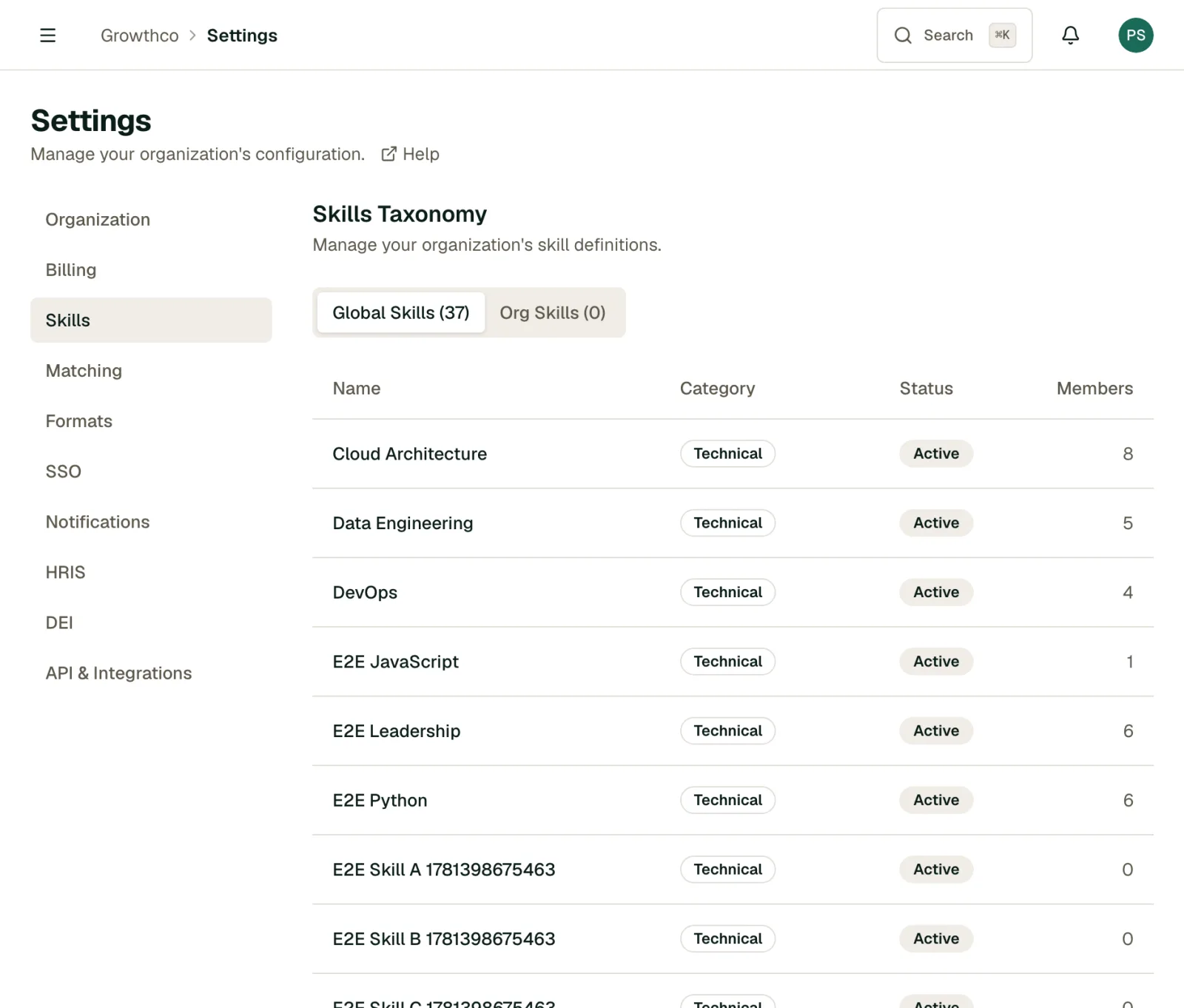
Go to Settings → Program → Skills. The page has two tabs. Global Skills lists the skills shared across all MentorStack organizations, and you cannot change them. Org Skills lists your organization's custom skills. Each tab shows its skill count, and each skill shows its category, status (Active or Deprecated), and how many members use it.
Adding custom skills
- Open the Org Skills tab and click Create Skill. On the Free Pilot plan, this shows an upgrade prompt instead.
- Enter the Name
- Choose a Category
- Optionally add a Description
- Save
The skill is immediately available for members to add to their profiles.
Organizing skills with categories
Every skill has one of four fixed categories: Technical, Leadership, Communication, or Domain Specific. You pick one when you create a skill. You cannot add your own categories.
Deprecating skills
If a skill becomes outdated or you've replaced it with a more specific one, you can deprecate it. You can deprecate your organization's own skills on the Org Skills tab:
- Find the skill in the list
- Click Deprecate at the end of its row
- Confirm in the dialog
Deprecated skills:
- Are hidden from profile skill selectors (members can't add them to new profiles)
- Remain on existing member profiles: members who already added it keep it
- Can be restored at any time if you change your mind
Restoring a deprecated skill
On the Org Skills tab, find the skill (its status shows Deprecated) and click Restore, then confirm. It becomes available in profile skill selectors again immediately.
Tips for a clean skill library
- Keep names concise. "Python" not "Python programming language"
- Avoid duplicates. Search before adding: "Product Management" and "Product Mgmt" will fragment your data
- Review quarterly. Deprecate skills that no longer match your program's focus
- Involve participants. Ask mentors what skills they'd want members to be able to search for