Managing Cohorts
How to organize members into cohorts for structured programs
Open-ended mentoring programs often lose momentum. Without a clear timeline, participants deprioritize meetings and goals drift. Cohorts solve this by creating shared deadlines, peer accountability, and a sense of collective progress. Programs that use cohorts consistently see higher completion rates and stronger engagement than those that leave mentoring open-ended. The Cohorts page lets you group members into structured program cycles with defined start and end dates.
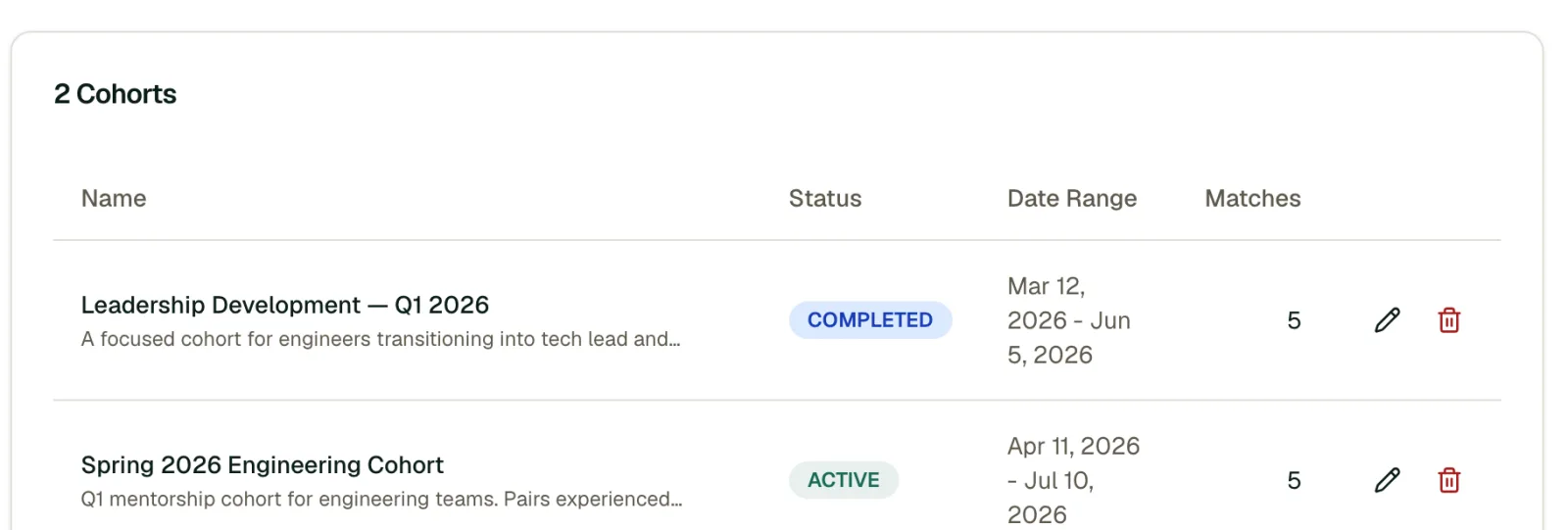
What is a Cohort?
A cohort is a batch of mentoring relationships that run on the same timeline. They're useful for:
- Structured programs with fixed durations (e.g., a 12-week mentoring cycle)
- Onboarding groups where new hires are paired with mentors together
- Leadership programs with specific curricula and deadlines
Creating a Cohort
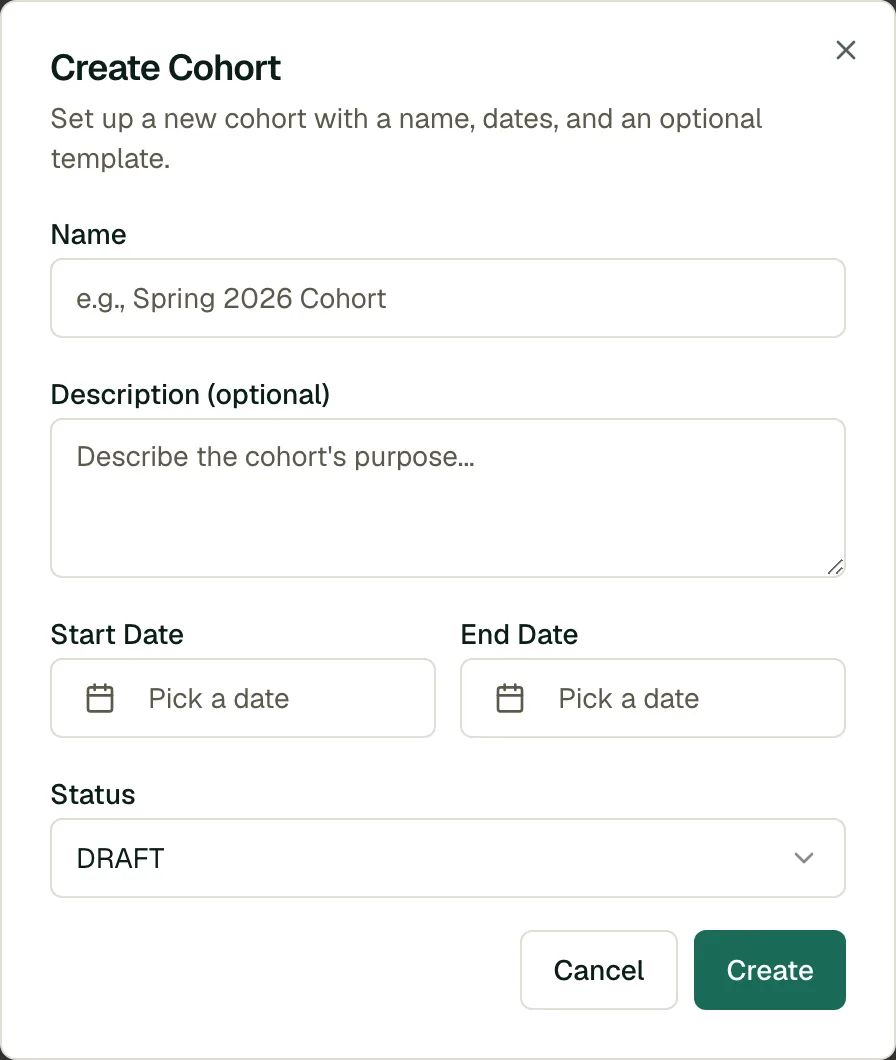
- Navigate to the Cohorts page.
- Click Create Cohort.
- Start from a program template: pick a template to pre-fill the cohort's name and description, or Skip to start from scratch.
- Set the name, description, start date and end date.
- Click Create.
Program Templates
Program templates are ready-made program blueprints. When you create a cohort, the first step offers any available templates as a starting point. Selecting one pre-fills the cohort name and description so you don't begin with a blank form. You can always skip the template step and configure everything yourself.
Tip
Assign matches to a cohort to keep pairings organized by program cycle. This also makes it easy to compare outcomes across cohorts and refine your approach each time you run the program.
Organizing Matches into a Cohort
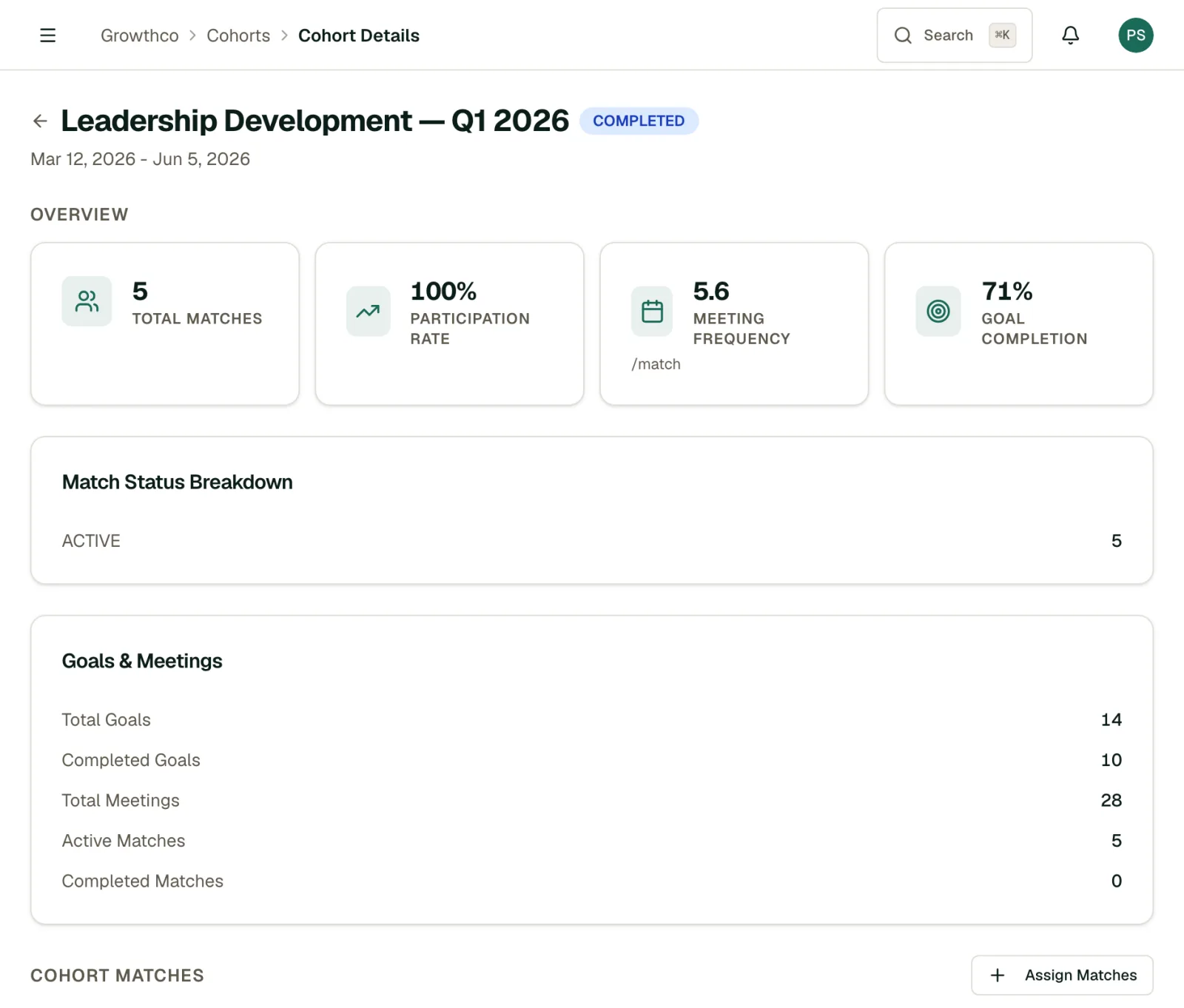
A cohort groups matches that run on the same timeline. From the cohort detail page, you can:
- Assign matches to the cohort, or remove them
- View cohort-specific analytics (participation rate, meeting frequency, and match status breakdown)
Cohort Lifecycle
Your organization is the program. A cohort is one dated intake into it, and its phase follows its dates: Upcoming before the start date, Active between the start and end dates, and Ended after the end date. There is nothing to set and nothing to remember to change. Ended cohorts keep all of their data accessible for reporting.
When a cohort's end date passes, every active match in it shows a prompt on the match page inviting the participants to wrap up and complete the match.
Getting the Most Out of Cohorts
- Keep cohorts between 6 and 16 weeks. Shorter than 6 weeks doesn't allow enough time for trust to develop. Longer than 16 weeks and urgency fades.
- Run a kickoff event. Cohorts that start with a group introduction (even a brief video call) build stronger connections than those that begin with a silent email.
- Use cohort analytics to iterate. Open each cohort to compare completion and engagement; there is no side-by-side view yet. Each cycle is a chance to improve your matching and cadence.
- Stagger your cohorts. Rather than running one large cohort per year, consider quarterly cycles. Smaller, more frequent cohorts are easier to manage and let you apply lessons faster.