API Keys
Generate and manage API keys for connecting MentorStack to external tools and AI assistants
API keys let you connect MentorStack to external tools, including AI assistants via the MCP server. Each key grants a specific level of access and can be revoked at any time.
Types of API keys
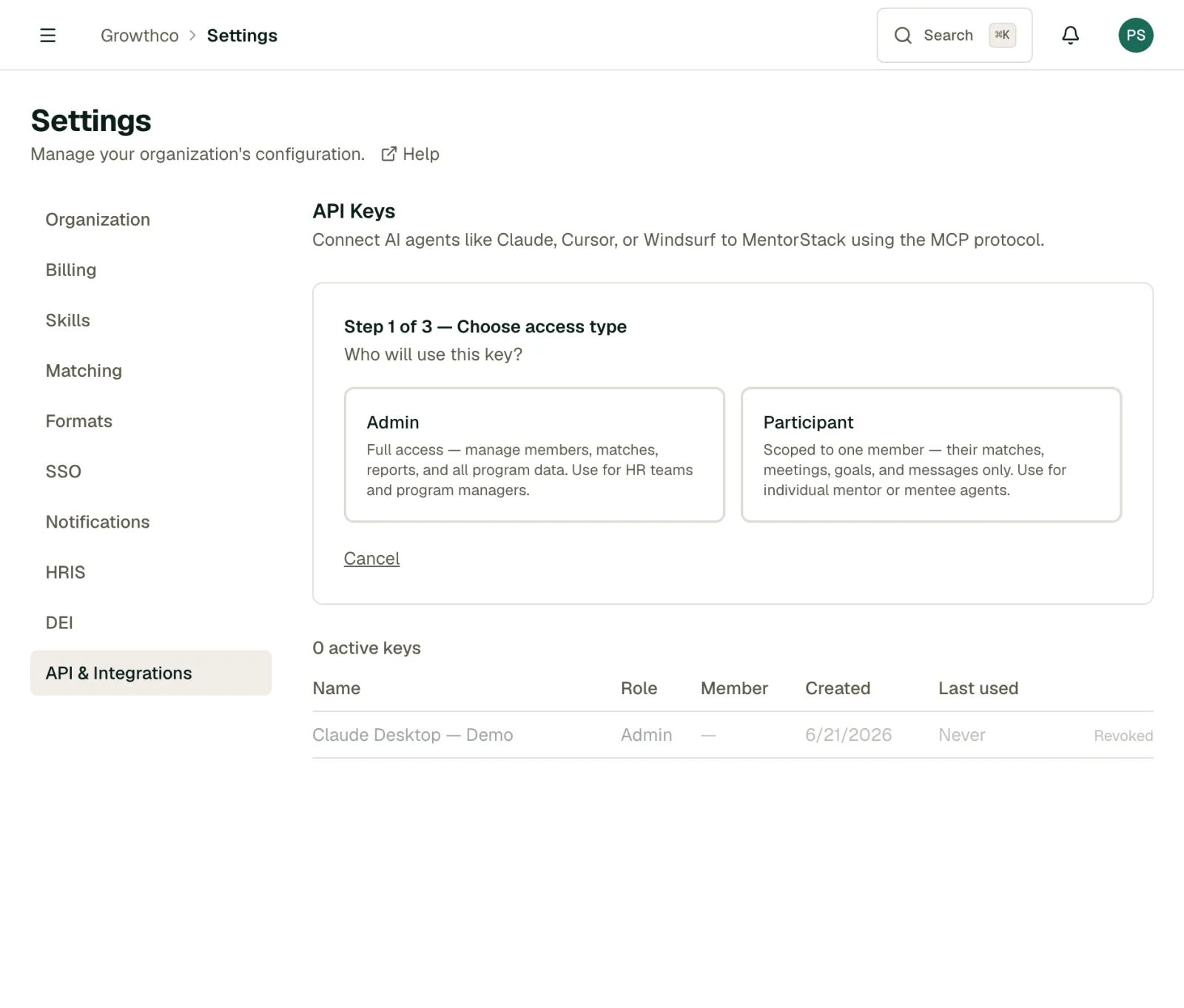
Admin keys: Full access to your organization's data: members, matches, analytics, and admin operations. Use for HR workflows, reporting integrations, or organizational automation.
Participant keys: Scoped to a single member's data only: their matches, goals, meetings, and messages. Use when setting up an AI assistant for an individual mentor or mentee.
Generating a key
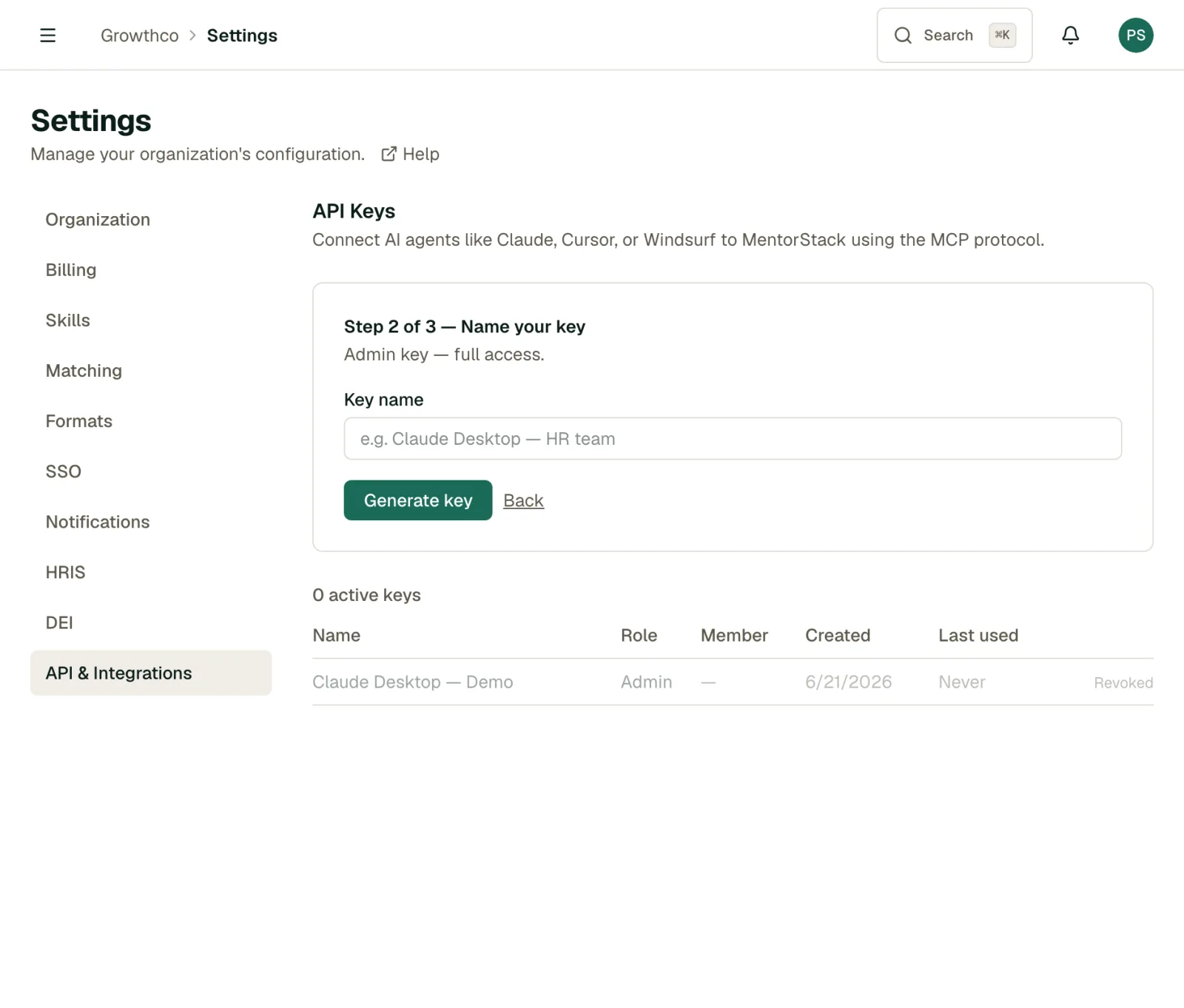
Go to Settings → API & Integrations and, under API Keys, click Connect an AI agent.
As a mentor or mentee, you generate a participant key scoped to your own account: name the key, then click Generate key.
As an admin, the wizard adds a step up front:
- Choose access type: Admin (full org-wide access) or Participant (scoped to one member)
- For a participant key, select the member it belongs to
- Name the key (e.g.
Claude Desktop: HR team,Cursor: Jane Smith) - Click Generate key
In both cases, copy the key immediately with Copy key. It's shown in full only once. As a mentor or mentee, you can hold at most 10 active keys of your own. Revoke one to create another.
API keys start with ms_live_ and are unique per creation. The raw key value cannot be retrieved after you close the generation dialog.
Managing your keys
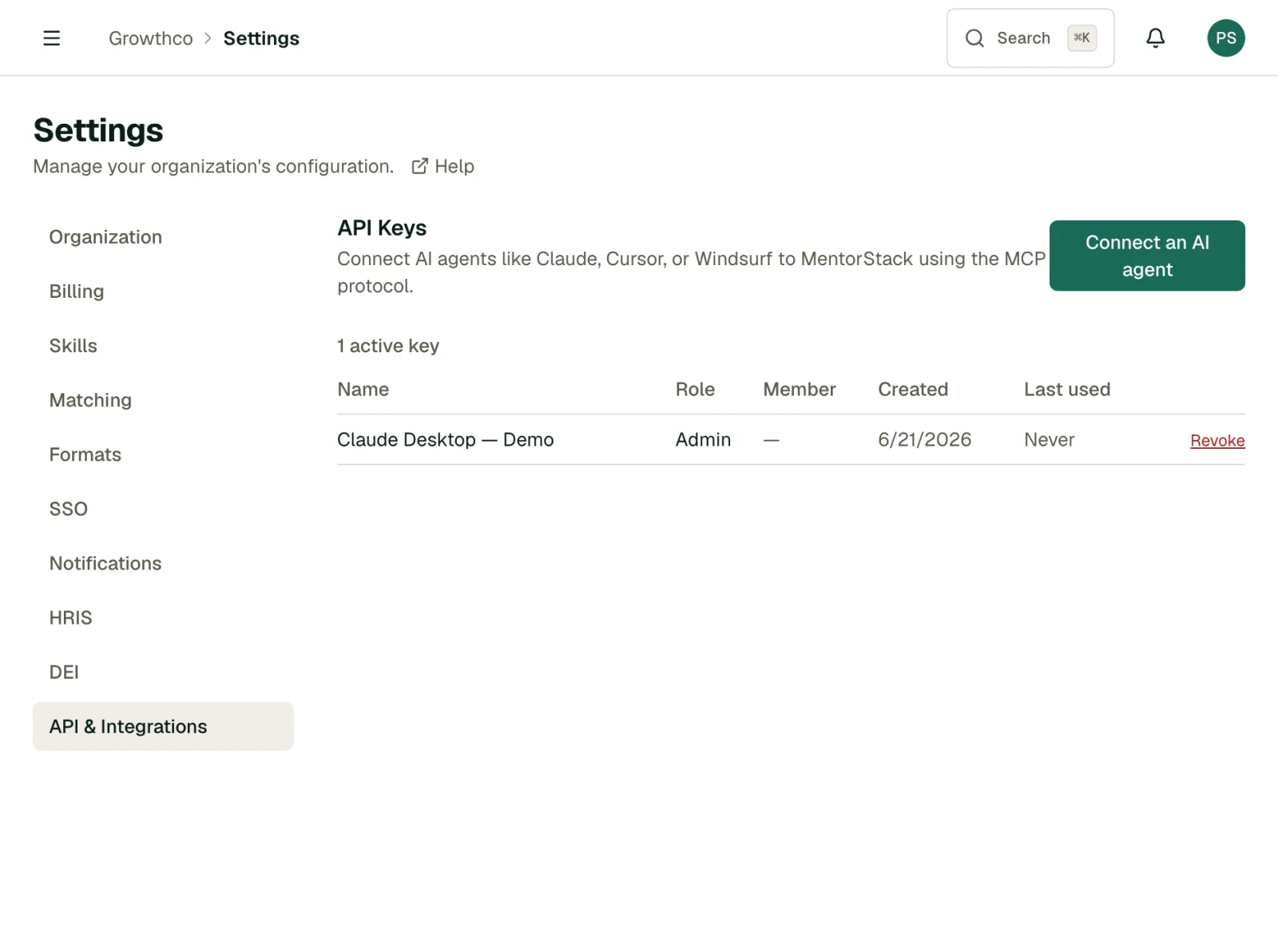
All keys appear in the API Keys table with:
- Name
- Role and linked member (shown to admins only)
- Created date
- Last used date, or Never if the key has not been used
Use the last-used timestamp to identify keys that are no longer active and can be safely revoked.
Key expiry
API keys expire automatically:
- Participant keys (generated by a mentor or mentee for their own account) expire 90 days after creation.
- Admin keys expire 365 days after creation by default.
Once a key expires, generate a new one from Settings → API & Integrations. There is no renewal action; an expired key must be replaced.
Revoking a key
Click Revoke next to a key to immediately invalidate it. Any tool using that key will lose access instantly. Revoked keys remain visible in the table for audit purposes but cannot be reactivated.
If a key is ever exposed (committed to a repository, shared accidentally), revoke it immediately and generate a replacement.
Key security
- Store keys in a secrets manager or environment variable: never hardcode them in source files
- Use participant keys for individual AI assistant setups rather than sharing a single admin key
- Rotate keys periodically for long-lived integrations
- Revoke keys for former employees or decommissioned integrations promptly
Using keys with the MCP server
API keys are the authentication method for MentorStack's MCP server, which lets AI assistants like Claude and Cursor query your mentoring data. See the Connect AI Assistants with MCP guide for full configuration instructions.