Matching Formats: Group, Circle & Reverse Mentoring
Run group mentoring, peer circles, and reverse mentoring alongside your 1:1 program
MentorStack supports four mentoring formats. Beyond classic 1:1 pairings, you can run group sessions (one mentor, multiple mentees) and peer circles (leaderless peer groups). Reverse mentoring (junior coaching senior) is also supported.
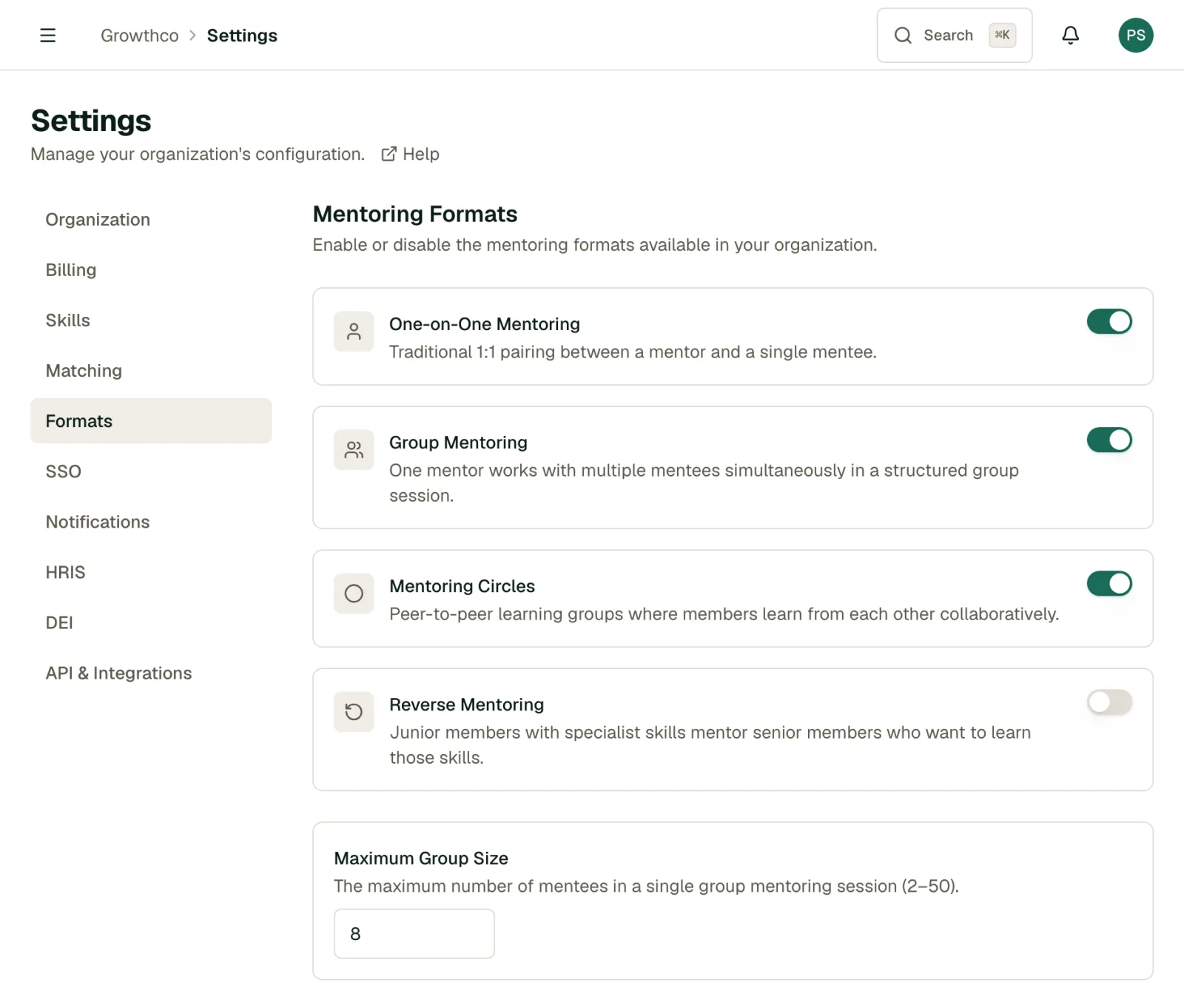
Enabling formats
Go to Settings → Program → Formats to enable or disable each format. Only formats you enable will appear as options when creating matches or for members when browsing.
1:1 (default)
One mentor paired with one mentee. The classic format: structured, personal, and the best starting point for most programs. Enabled by default.
Group mentoring
One mentor paired with two or more mentees who share sessions together. Best for:
- Teaching or skills transfer (one expert, multiple learners)
- Cohort-based programs where peers benefit from each other's questions
- Scaling mentor capacity when you have more mentees than mentors
Creating a group match
- On the Matches page, click Create Match
- Choose the Group format
- Select the mentor
- Add multiple mentees (up to your configured max group size)
- Click Create Match
All participants share the same message thread, meeting calendar, and goal progress view. Each mentee still has their own individual goals.
Max group size
Configure the maximum number of mentees per group in Settings → Formats → Maximum Group Size. The default is 8, and you can set anywhere from 2 to 50.
Circles
A peer group with no designated mentor: all members are on equal standing. Circles are for cross-team connection, peer accountability, or communities of practice.
Creating a circle
- On the Matches page, click Create Match
- Choose the Circle format (no mentor role, all participants are peers)
- Add 2–20 members
- Click Create Match
Circles have shared messaging and meeting scheduling, but no goal-linking to a single mentor relationship.
Facilitators
A circle can optionally have a facilitator: a confirmed member who keeps sessions on track without becoming a de facto mentor. Set this up from the match detail page:
- Fixed: one member holds the role permanently, until you reassign it.
- Manual rotation: the current facilitator passes the role to another confirmed member whenever they choose.
- Automatic rotation: the role hands off on its own, weekly, biweekly, or monthly, in round-robin order.
Whoever holds the facilitator role, and everyone else in the circle, gets an in-app notification whenever it moves.
Reverse mentoring
A junior or early-career employee mentors a more senior leader: typically on emerging skills, new technology, or perspectives the senior leader might not have day-to-day exposure to.
Functionally, reverse mentoring works the same as 1:1, but the "mentor" role is filled by the less senior member. The platform treats it identically. The distinction is conceptual and cultural.
There are two ways a reverse match gets created:
- Admin-proposed: assign a junior member as the mentor and a senior member as the mentee when creating a 1:1 match, same as any other pairing.
- Self-nominated: once you enable the Reverse format, any non-admin member can propose themselves as a reverse mentor to a senior colleague from the Matches page. The senior colleague then accepts or declines, the same way they would an admin-created match.
Mixing formats in one program
You can run all four formats simultaneously. A senior leader might be in a 1:1 match as a mentee (reverse program) while also running a group for their direct reports. MentorStack tracks each relationship independently.