Setting & Tracking Goals
How to set meaningful goals and track your progress over time
Goals transform mentoring from casual conversation into accountable growth. When you define what you want to achieve and track your progress openly, you give your mentor the context to guide you effectively, and you give yourself a record of how far you've come.
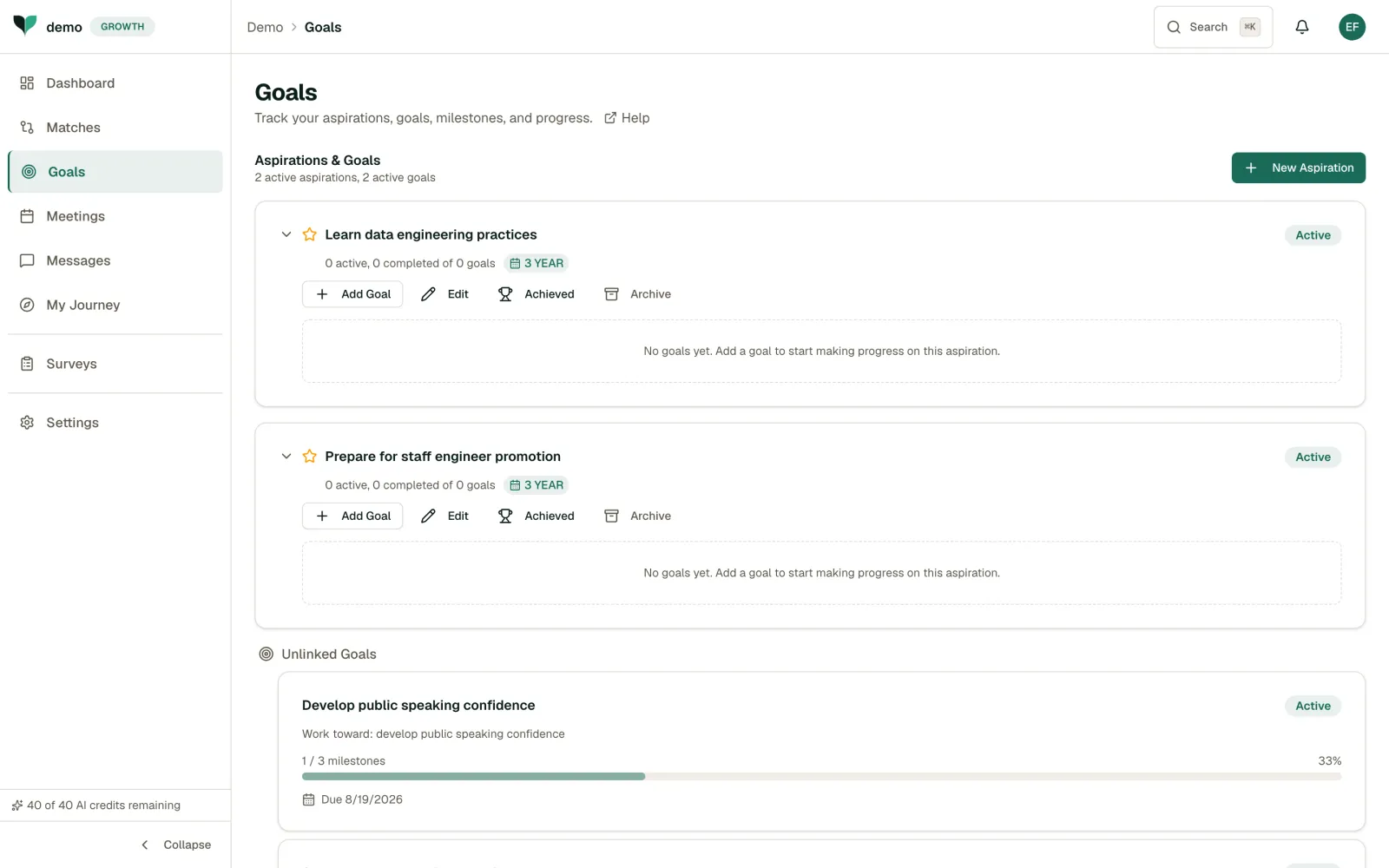
How Goals Are Organised
The Goals page shows a flat list of your goals, each with its own milestones. There is no folder or theme above a goal: every goal you create shows up here.
Your longer-horizon intent, what you are working toward over the next months or years, lives on your Profile page instead. Look for the "What are you working toward?" field in the About section.
Creating a Goal
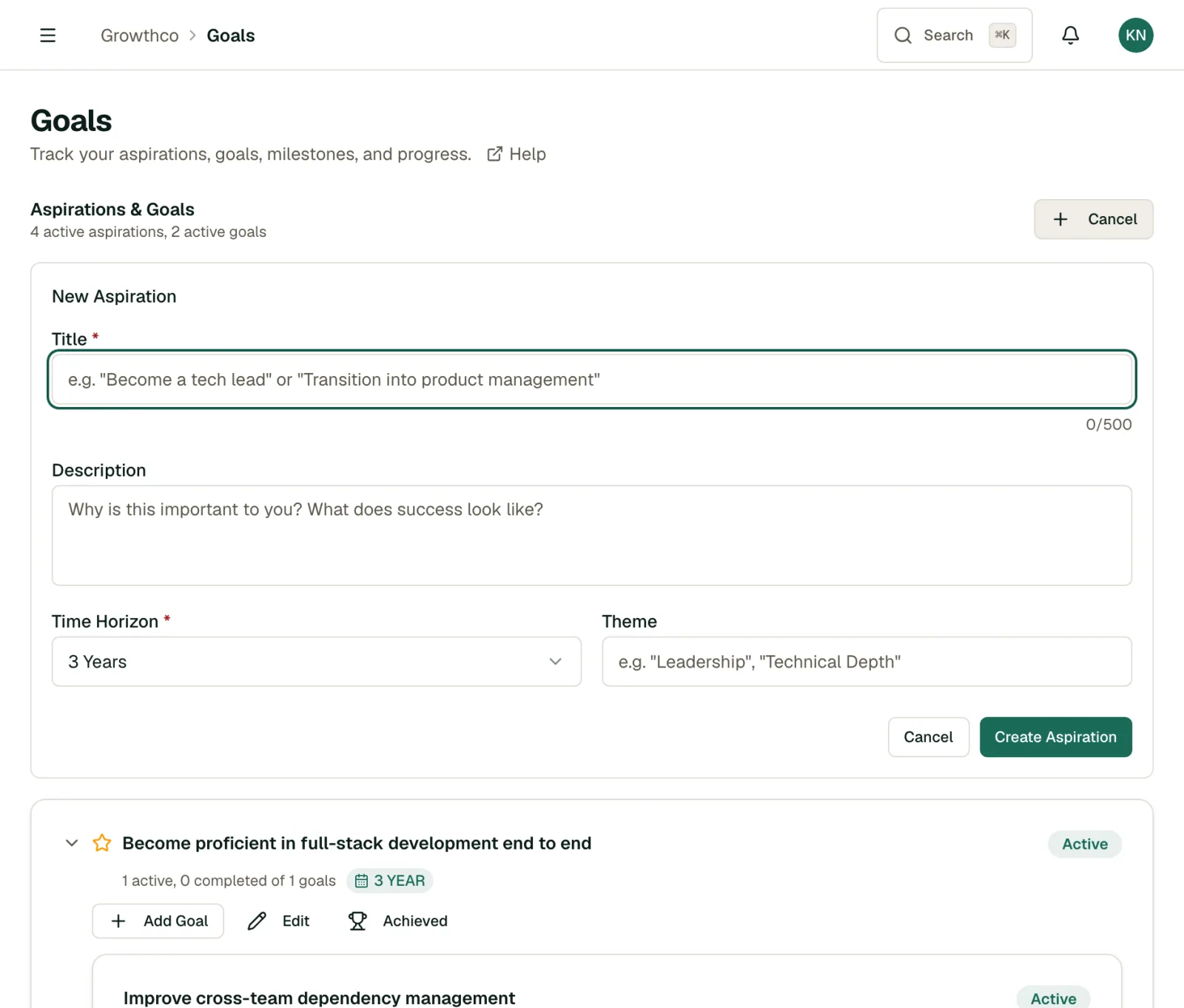
- Navigate to the Goals page.
- Click New Goal.
- Write a clear title: what do you want to achieve?
- Add a description with more detail.
- Set a target date.
- Click Create.
Tip
Use the SMART framework: make goals Specific, Measurable, Achievable, Relevant, and Time-bound. "Improve my public speaking" is vague. "Give a 10-minute presentation to my team by March" is SMART.
Let AI Suggest Goals
Not sure where to start? Use Suggest goals to have MentorStack draft goal ideas from your profile, including your skills and what you are working toward. Review the suggestions, edit anything you want, and keep the ones that fit. (AI suggestions use credits: see AI Copilot Features.)
Linking a Goal to Your Match
On a match's Goals tab, use Link Existing to open the Link a Goal dialog and connect one of your existing goals to that mentoring relationship. Linked goals appear in that match's shared view, giving your mentor the context to help.
Per-Goal Actions
Each goal has controls for its own state:
- Archive: hide an active goal from your view
- Cancel: mark a goal as no longer pursued
- Complete: mark a goal as done, even if some milestones remain open
Tracking Milestone Progress
Each goal shows a milestone progress bar. Add milestones as you go; the bar fills as you check them off.
Goal Visibility
Your goals are visible to your mentor and program admin. This shared visibility is a feature, not a limitation. When your mentor can see your goals and progress, they can prepare better advice, spot where you're stuck, and celebrate wins with you. That accountability also keeps you moving forward between meetings.
Tips for Effective Goals
- Start with 2–3 goals, not a dozen
- Break large goals into smaller milestones
- Review goals with your mentor during meetings
- Celebrate completions. They matter.