Admin Dashboard
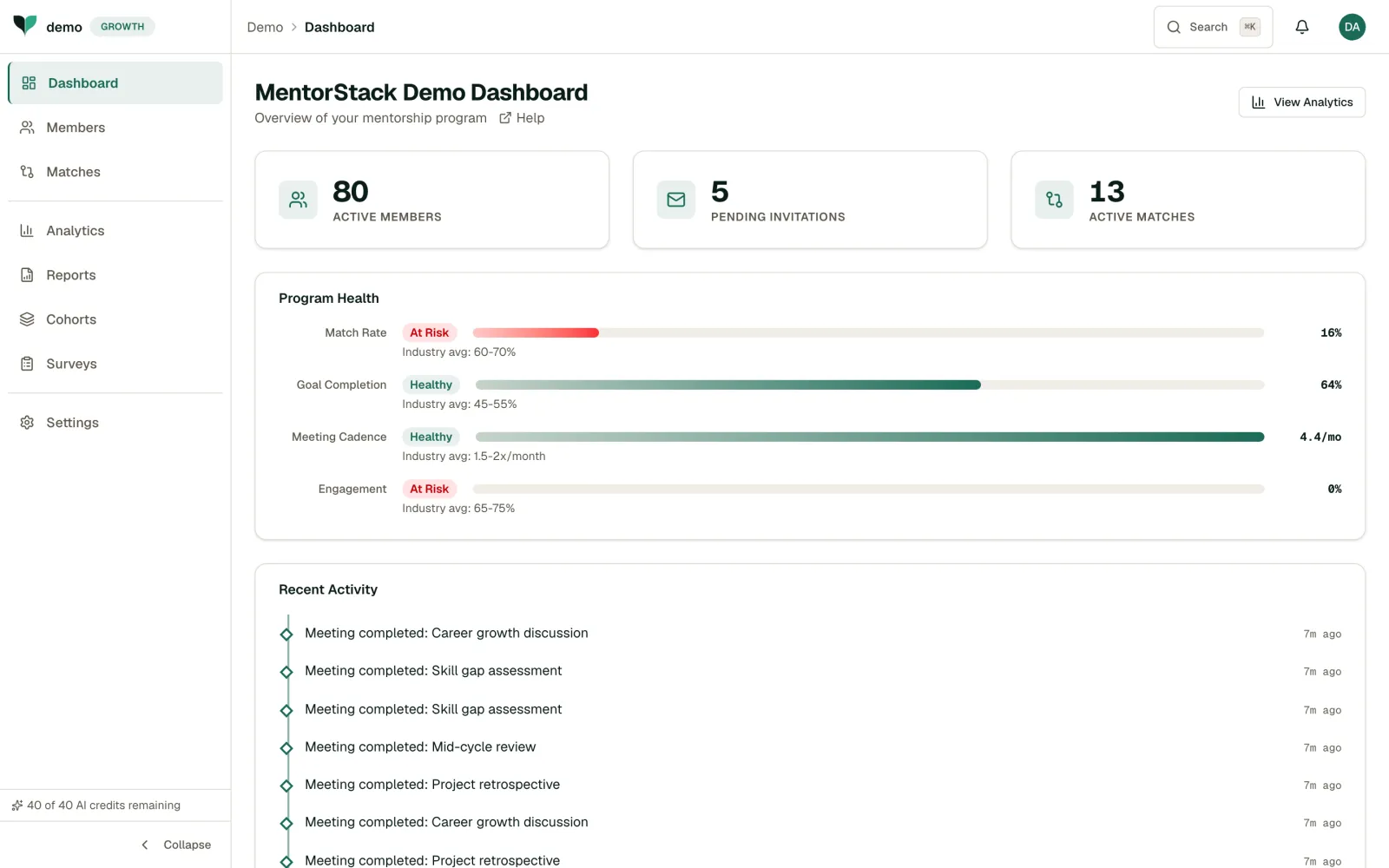
Track your mentorship program's health from the MentorStack admin dashboard: active members, pending invitations, active matches, a Program Health scorecard, recent activity, and an onboarding funnel.
The dashboard is your program's command center. Most program problems (disengaged pairs, stalled goals, declining meeting frequency) are visible here before they become serious. Building a habit of checking the dashboard regularly (even just a few minutes a week) lets you stay ahead of issues instead of reacting to them after the damage is done.
Key Metrics
Below the Program Health panel, three summary figures give you an at-a-glance read on your program:
- Active Members: Mentors and mentees currently active in your organization, with a trend
- Pending Invitations: People you've invited who haven't joined yet
- Active Matches: Currently paired mentor-mentee relationships
Program Health
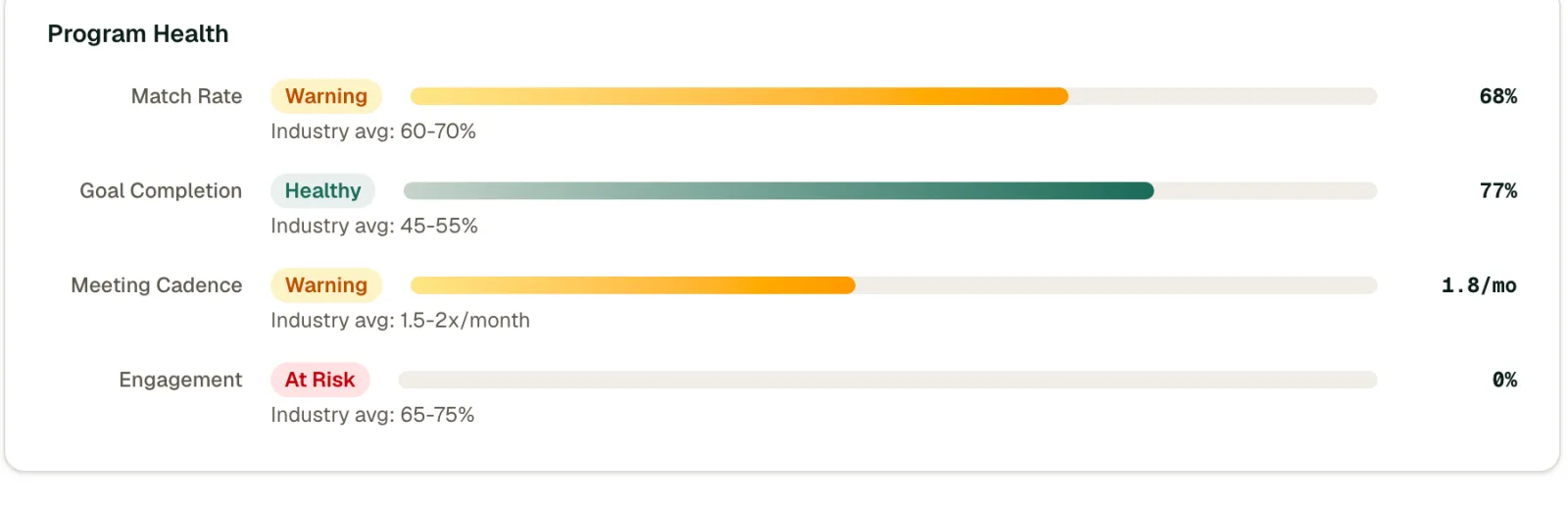
The Program Health panel rates your program across five indicators: Skill Lift, Goal Velocity, Retention, Cross-Functional Matches (on the Growth plan and above, when DEI tracking is on), and eNPS. Each indicator is benchmarked and colored green, yellow, red, or neutral (not enough data yet). Above the indicators, one overall headline (Trending healthy, Steady progress, or Needs attention) sums up where your program stands.
Recent Activity
The Recent Activity feed shows events from the last 7 days across your program: meetings completed, matches created, goals achieved, and members joining. Use it to stay informed without checking each section individually.
Onboarding Funnel, At-Risk Matches & Pending Actions
Several panels turn the metrics into action:
- Onboarding Funnel sits above the activity feed. It tracks new members through each stage (Invited, Joined, Matched, First Meeting, and Set Goal) so you can see where people drop off.
- At-Risk Matches flags pairs that have gone quiet so you can step in before they stall. Click Nudge on any flagged match to send both participants a check-in email and an in-app notification, without leaving the dashboard. You can nudge a given match once per day. By default, a pair is flagged after 14 days without activity.
- Mentor Leaderboard ranks the top mentor and mentee pairs by completed milestones in the last 90 days.
- Pending Actions links to work waiting for you: matches awaiting review, expired invitations, and (in Admin-Guided mode) suggested matches.
Tip
Click on any metric card to jump directly to the related detailed view. When a number looks off, drill in immediately. The sooner you investigate, the easier it is to course-correct.
View Analytics
The View Analytics button at the top of the dashboard opens the Analytics page. If DEI tracking is on, a Diversity & Inclusion Metrics card appears at the bottom of the dashboard (see DEI Metrics & Tracking).
Until you finish the setup checklist (or dismiss it), the dashboard shows a welcome page with that checklist instead of the full dashboard.
Making the Dashboard Work for You
- Start your week here. A quick Monday scan of Program Health and the activity feed keeps you informed and lets you prioritize where to spend your time.
- Watch the activity feed for momentum signals. A steady stream of meetings and goal completions means your program is healthy. Long gaps between events are worth investigating.
- Use Program Health to set priorities. Focus your energy on the indicator rated lowest. That's where your attention will have the most impact.