Scheduling & Running Meetings
How to schedule, prepare for, and run effective mentoring meetings
Consistent, well-run meetings are what separate casual advice from mentoring that actually changes careers. The cadence matters more than the duration. A focused 30-minute conversation every two weeks will outperform an occasional hour-long session. The Meetings page helps you schedule, track, and follow up on sessions with your mentees, so nothing falls through the cracks.
Scheduling a Meeting
- Click Schedule Meeting from the meetings page or your dashboard.
- Select the mentee you want to meet with.
- Choose a date and time.
- Add an optional agenda listing topics you want to cover.
- Click Schedule.
Your mentee will receive an email notification about the upcoming meeting.
Tip
Setting a recurring schedule (e.g., every other Tuesday) helps build momentum. Consistency matters more than frequency. Your mentee should never have to wonder when they'll hear from you next.
Before the Meeting
Even five minutes of preparation transforms a meeting from a casual chat into focused mentoring. The difference between a good mentor and a great one is often just this step.
- Review your mentee's goals and recent progress
- Check any notes from your last session. Pick up where you left off rather than starting from scratch.
- Prepare 1–2 open-ended questions to guide the conversation
After the Meeting
On the meeting, use these actions to close it out:
- Wrap up meeting: opens the Wrap up this meeting dialog. Answer "What happened in this meeting?" and MentorStack generates an AI recap from it. This creates a record that compounds in value: three months in, you'll see patterns and progress that would otherwise be lost.
- Add action items: log concrete next steps with an owner, so commitments don't slip between sessions.
- Mark no-show: if a scheduled meeting didn't happen, flag it once the time has passed to keep your history accurate.
Action items and summaries appear on the meeting detail page for both you and your mentee.
Rescheduling or Canceling
- Reschedule: open the meeting and click Reschedule to set a new date and time. Your mentee is notified.
- Cancel: open the meeting and click Cancel Meeting. You can cancel any scheduled meeting in the match, whether or not you were the one who scheduled it.
Meeting History
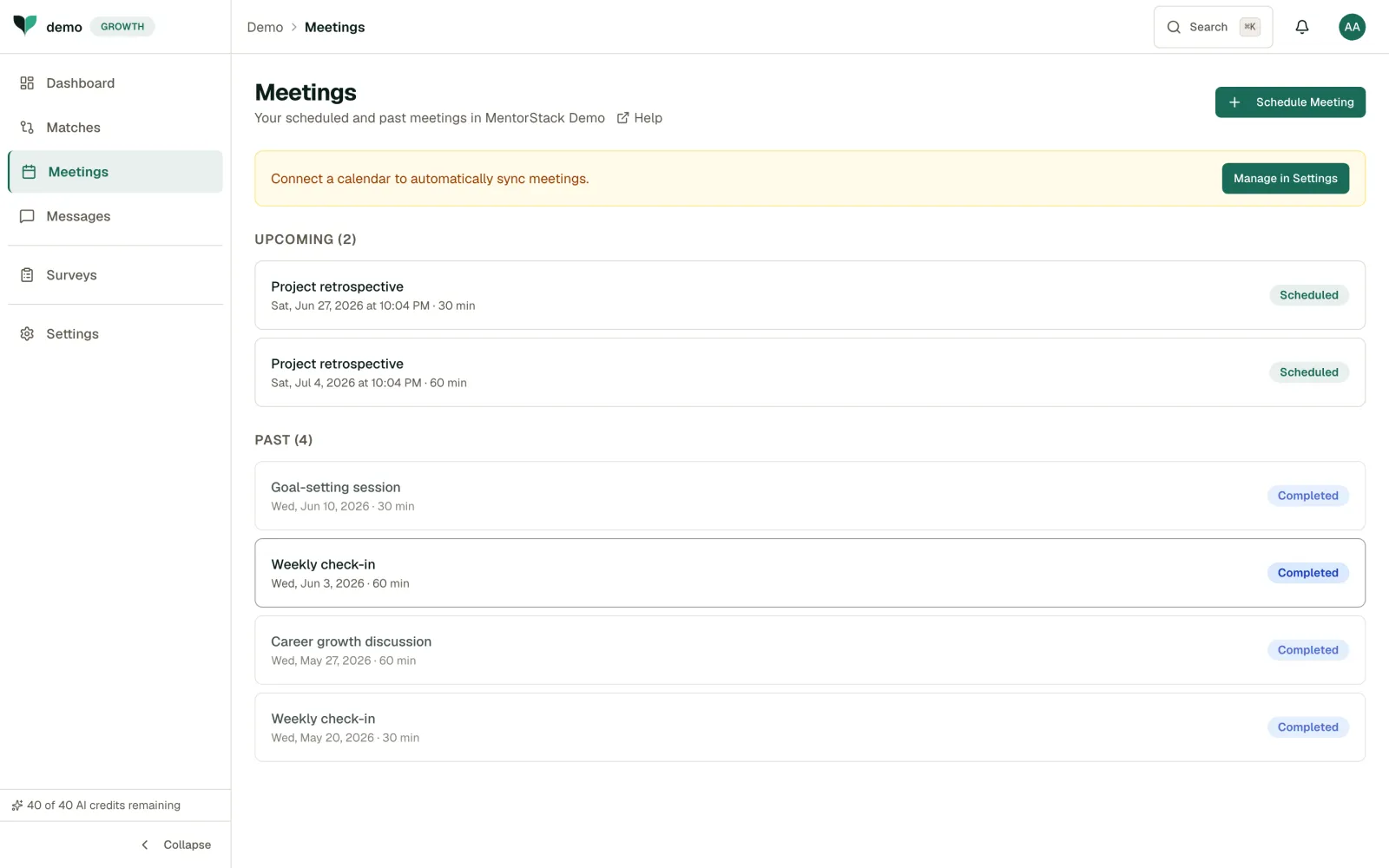
The meetings page shows all past and upcoming meetings, organised into Upcoming and Past sections.
Note
Meeting reminders are sent automatically 24 hours before the scheduled time, if enabled by your admin.
Getting the Most Out of Meetings
- Start with a check-in, not an agenda dump: Ask your mentee how things are going before diving into topics. Some of the most valuable conversations come from what's top of mind, not what was planned
- End with clear next steps: Even informal mentoring benefits from light accountability. "Before next time, try X" gives your mentee something concrete to work on
- Vary the format occasionally: A walking meeting, a job-shadowing session, or a review of your mentee's recent work can break routine and surface insights that a standard conversation won't
- Don't skip the notes: It takes two minutes after the meeting and saves you ten minutes of prep before the next one