Attending Meetings
How to view, prepare for, and get the most from your mentoring meetings. A MentorStack help center guide for mentees.
Meetings are where mentoring happens. Come prepared with one thing you want to discuss. Either you or your mentor can schedule sessions, but the quality of each conversation depends on what you bring to it.
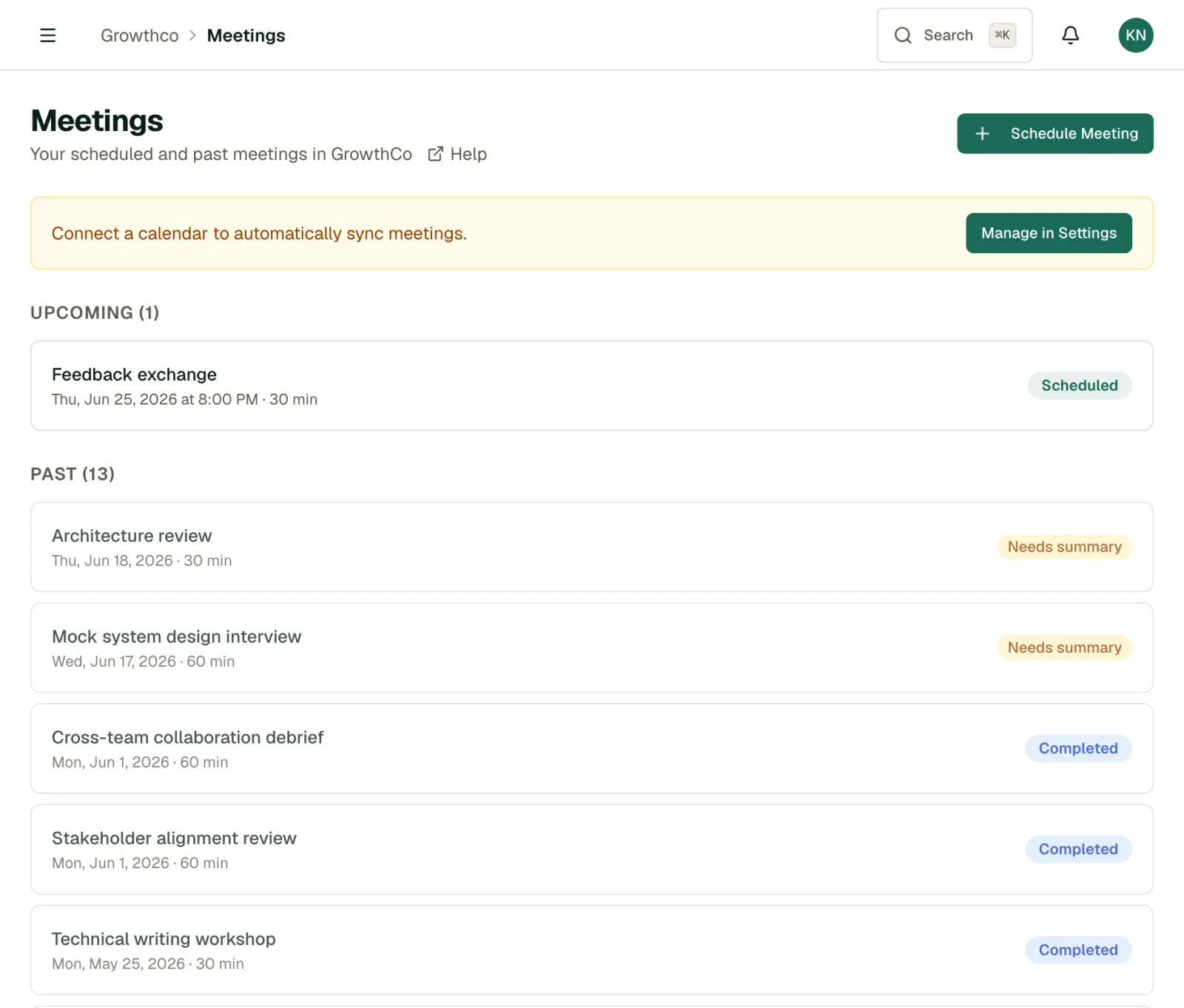
Viewing Your Meetings
Navigate to the Meetings page from the sidebar to see:
- Upcoming meetings: Sessions scheduled with your mentor, sorted by date
- Past meetings: A history of completed sessions with notes and outcomes
- Meeting details: Date, time, notes, action items, and any AI recap
You'll also see your next upcoming meeting highlighted on your dashboard.
Scheduling a Meeting
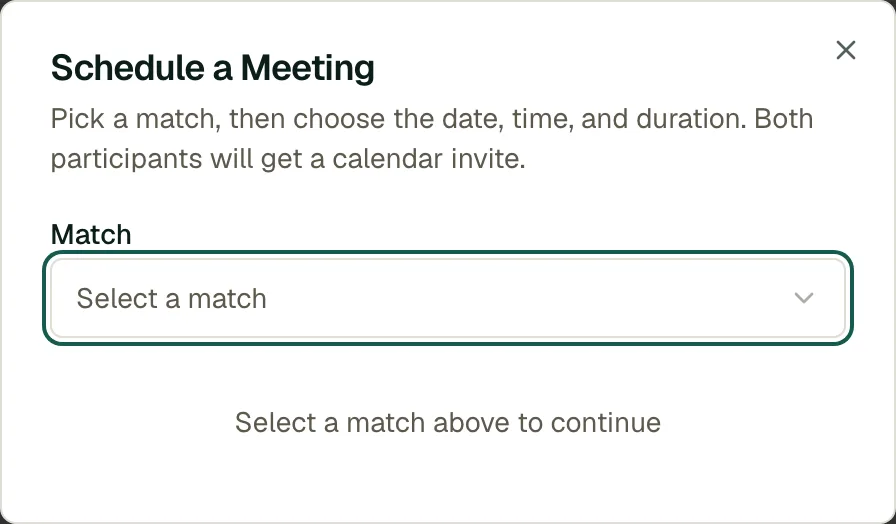
You don't have to wait for your mentor to set up sessions. You can schedule your own:
- Open the Meetings page and click Schedule Meeting.
- Pick the match, date, time, and duration. A title is optional.
- Click Schedule Meeting. The meeting appears for both of you.
If you've connected your calendar (see Calendar Integration), your free/busy times help you avoid conflicts.
When a Meeting Is Scheduled
When your mentor schedules a meeting, it appears on your Meetings page and dashboard right away. If you have connected a calendar, it also lands on your calendar.
Tip
MentorStack emails you a reminder before each meeting, 24 hours before by default. Your admin can set the lead time from 1 to 72 hours.
Preparing for a Meeting
A little preparation goes a long way:
- Review your goals: Check your progress and think about where you need help
- Prepare questions: Write down 1–2 specific things you want to discuss
- Reflect on actions: If your mentor suggested something in the last meeting, come ready to share what happened
- Check your AI prep: On an upcoming meeting, you may find an AI Meeting Preparation panel with a suggested agenda. See AI Copilot Features.
During the Meeting
- Drive the conversation: Your mentor is there to help, but you own your growth. Share what's on your mind.
- Be honest: Talk about challenges and setbacks, not just wins. That's where the best mentoring happens.
- Take notes: Jot down advice, action items, and ideas so you can follow up later.
After the Meeting
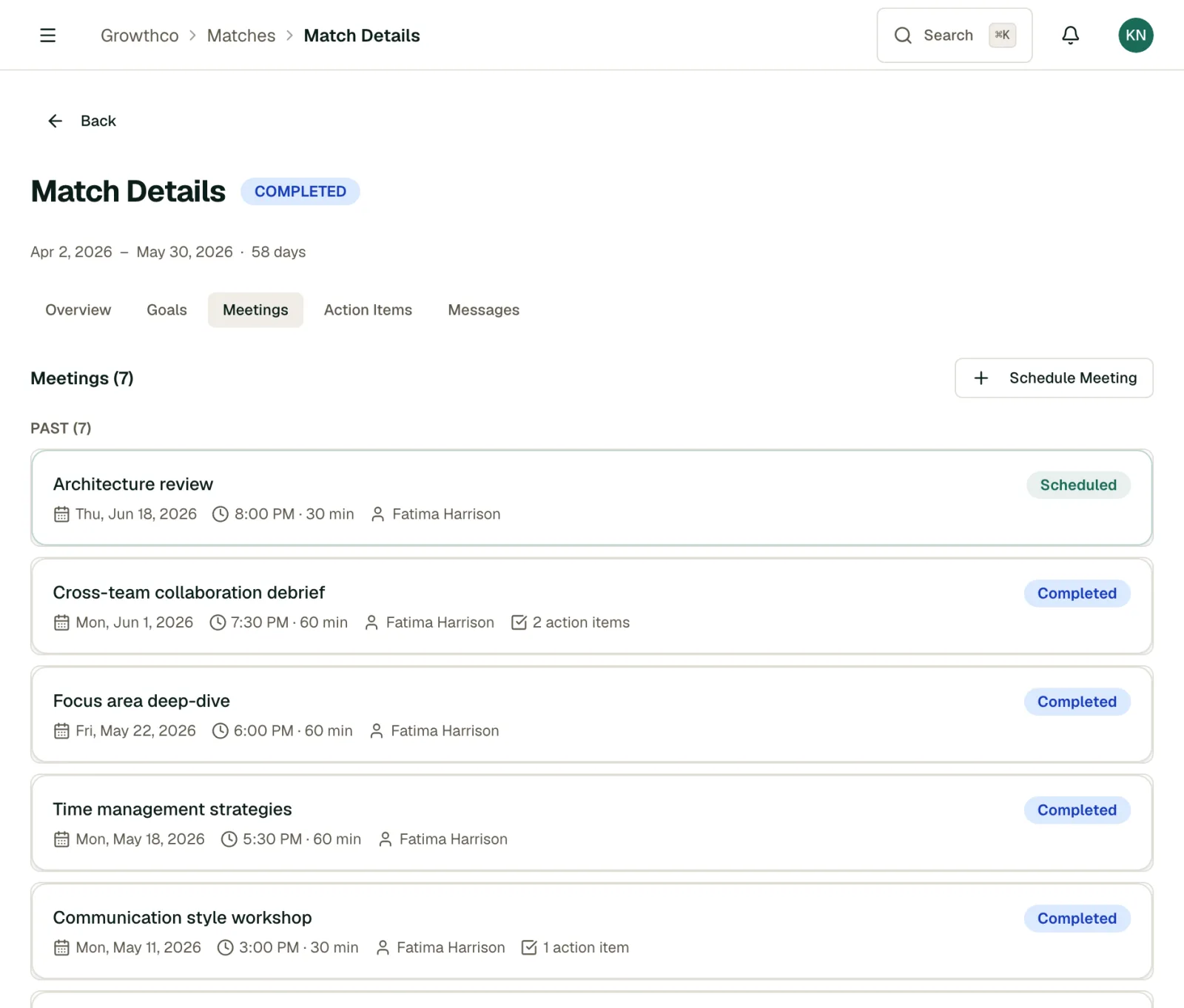
Either you or your mentor can wrap up a session. On the meeting, you can:
- Wrap up meeting: opens the Wrap up this meeting dialog. Answer "What happened in this meeting?" and MentorStack generates an AI recap from your answer.
- Add action items: log commitments with an owner so nothing slips
- Mark no-show: if a scheduled meeting didn't happen, flag it after the time has passed
Session notes and action items appear on the meeting detail page. Use them to track commitments, review advice, and prepare for your next session.
Rescheduling or Canceling
- Reschedule: open the meeting and click Reschedule to pick a new date and time. Either participant can do this. Let the other person know, for example by message.
- Cancel: either participant can cancel a scheduled meeting: open it and click Cancel Meeting, whether you or your mentor set it up. If plans have only shifted, reschedule instead so the session stays on the calendar.
Note
Move meetings as early as possible when plans change. Consistent attendance builds trust and momentum in the relationship.
Meeting Frequency
Most mentoring programs aim for meetings every 1–2 weeks. Your program admin may have set expectations. Check with them or your mentor if you're unsure. What matters most is consistency: regular meetings, even short ones, are more effective than sporadic long sessions.