Journey & Badges
Track your mentoring milestones, growth progress, and earned achievements in one place
Your Journey page is a running record of your growth as a mentee: goals completed, meetings attended, hours invested, and badges earned along the way. It gives you a tangible view of how far you've come.
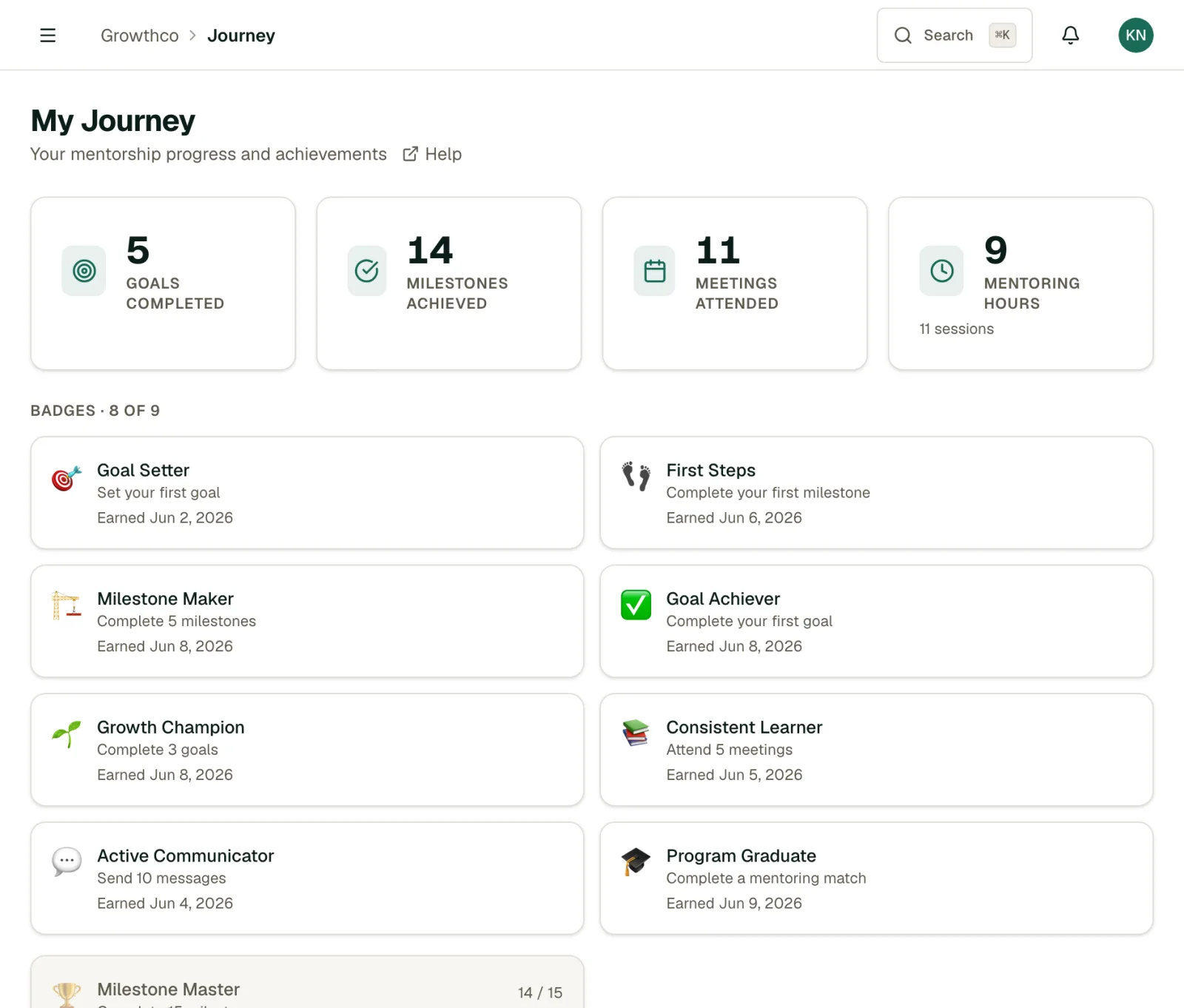
Finding your Journey page
Click My Journey in the left navigation. You'll see your personal growth summary at the top, followed by a timeline of key events and your badge collection.
Growth summary
The summary cards show totals across all your mentoring relationships:
- Goals completed: goals you've marked as done
- Milestones achieved: individual milestones checked off within goals
- Meetings attended: sessions marked as completed
- Total mentoring hours: sum of all meeting durations
These totals update automatically as you progress. They're also visible to your mentors and (in aggregate) to your program admin.
Journey timeline
The timeline shows key moments in reverse chronological order:
- Goals created and completed
- Milestones reached
- Meetings completed
- Matches started
Use it to reflect on your progress or prepare for a conversation with your mentor about where to focus next.
Badges
Badges are awarded automatically when you hit certain milestones:
| Badge | How to earn it |
|---|---|
| First meeting | Complete your first mentoring session |
| Goal setter | Create your first goal |
| Goal getter | Complete your first goal |
| Consistent | Attend 3 meetings in a row without a gap |
| Milestone maker | Complete 5 milestones across all goals |
| Momentum | Complete 3 meetings total |
| Progress tracker | Update goal progress 5 times |
Badges appear in your Journey page and are visible to your mentor. They're a lighthearted signal of engagement, not a performance metric.
Exporting your growth summary
Click Export summary (top right of the Journey page) to download a PDF of your growth data. Useful for performance reviews, portfolio building, or just keeping a personal record of your development.